On September 10, 2024, the vehicle and passenger ferry Ray Stoker, Jr. was approaching Galveston, Texas, at the end of a routine day of crossings when the captain lost effective propulsion and steering control. The ferry began turning toward a Coast Guard facility. The captain could move the joysticks, but the vessel did not respond.
The crew responded under pressure. The captain notified the engineer, warned passengers over the public-address system to brace for impact, and deck personnel prepared for an emergency response. After control was transferred to the engine operating station and then back to the wheelhouse, the captain regained control. The ferry contacted a floating dock at low speed and grounded near shore. No one was injured, and no pollution was reported, but the event caused substantial damage.
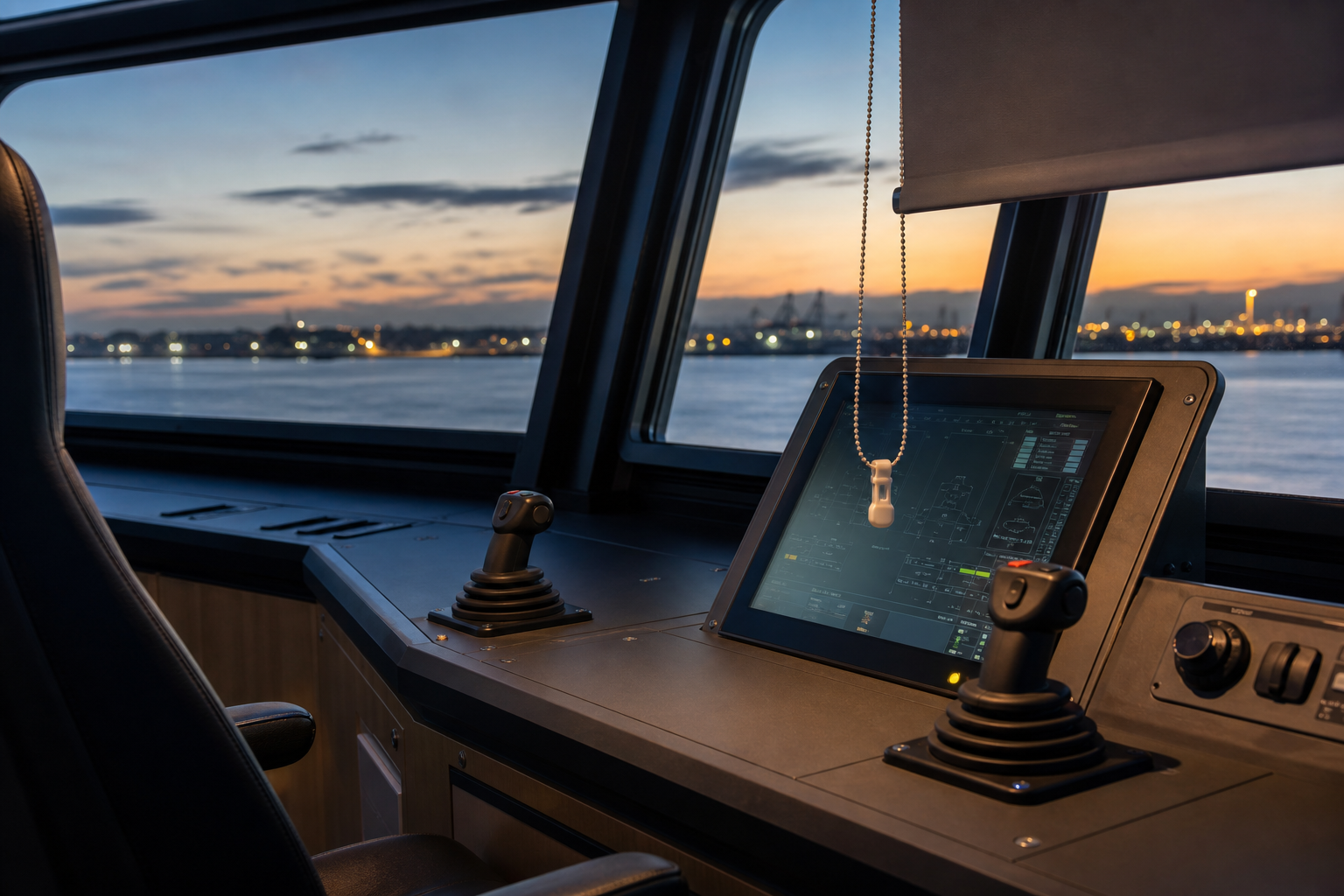
The National Transportation Safety Board’s investigation found an unexpectedly ordinary initiating factor: a plastic clip at the end of a wheelhouse window-shade chain could activate the “station freeze” icon on the propulsion-control touch panel. That function held the joysticks at their most recent settings, so later joystick movements produced no change in thrust or direction. It did not generate an alarm.
The finding is striking because it was not a conventional mechanical breakdown or a dramatic operator mistake. It was an interface-design and work-environment problem. A loose object that was part of normal wheelhouse equipment could contact an unguarded, safety-significant control. The captain had reportedly seen shade chains lying across the touch panel on previous trips and would move them away. In other words, the system contained a recurring weak signal: an informal workaround was already needed to keep a non-control item away from a critical control surface.
The event also shows why successful troubleshooting is not the same as safe design. Technicians found no propulsion-system faults or alarms, and sea trials did not reproduce the loss of control. The key insight came from testing a realistic interaction between the shade-chain clip and the touch screen. When the clip touched the screen, it could activate functions as an operator’s finger would.
After the event, the operator added clips to secure the shade chains, updated equipment-checklist items, instructed crews to keep objects off the panels, and added transparent protective covers to touch panels on the affected ferries. Those changes addressed both the immediate hazard and the conditions that allowed it to persist.
For safety professionals outside marine transportation, the lesson travels well. Modern work increasingly relies on digital control panels in manufacturing, utilities, laboratories, warehouses, healthcare, vehicles, and building systems. A touch screen may be fast and flexible, but a control’s importance should determine its protection—not whether it happens to appear as an icon on a display.
A useful review asks more than whether workers are trained to use a control correctly. Ask what could activate it incorrectly: cleaning cloths, tools, lanyards, sleeves, vibration, glare-driven adjustments, another person reaching across the panel, or an object temporarily set down during routine work. Then ask whether activation gives the user unmistakable feedback, whether the system alarms when control is unavailable, and whether the recovery steps are clear enough to use under time pressure.
The strongest safeguards often combine design and operations. Safety-critical functions may need physical separation, a cover or guard, confirmation before activation, a deliberate two-step action, clear state indication, or an automatic alarm when a function changes the availability of control. Field verification matters, too. Evaluate the panel in the actual work environment—with real lighting, cleaning, access needs, equipment movement, and the small objects people routinely carry or use.
The Ray Stoker, Jr. case is a valuable near-miss lesson: ordinary details can defeat sophisticated systems when designers and operators do not account for how work is actually done around the controls.
Add a “control-interface walkdown” to routine inspections for safety-critical equipment: identify every nearby item that could touch, obscure, distract from, or be mistaken for a control; then verify physical protection, clear status indication, alarm behavior, and a practiced recovery step.
Safety-critical controls must be designed and checked for the real-world clutter, movement, and workarounds that surround them.